 iPhoneRoot.com

News from category ‘Cydia’
Step-by-step Tutorial: How to Jailbreak and Unlock Your iPhone 3G Using RedSn0w 0.9.6b5 (Windows) [iOS 4.2.1]

UPDATE: Please think first, before you do something.
UPDATE 2: If you have 05.13 baseband or lower - do not update to 4.2.1, use PwnageTool to create custom firmware!
UPDATE 3: WARNING: updating to iPad baseband for iPhone unlock may disable your GPS
UPDATE: Please, consider reading our Jailbreak & Unlock FAQ, especially if you have questions or troubles.
This is step-by-step instructions on how to jailbreak and unlock your iPhone 3G on iOS 4.2.1 firmware using RedSn0w 0.9.6b5 for Windows.
For iPhone 3GS use this tutorial.
IMPORTANT FOR UNLOCKERS
During this process you can update your baseband to the 06.15 version. If you are on 05.14 or 05.15 or higher you will need to do this to unlock. You do not need to do this for jailbreak only. Please read the following very carefully before deciding whether to do this.
 Leave a comment, read comments [806]
Step-by-step Tutorial: How to Jailbreak and Unlock Your iPhone 3GS Using PwnageTool 4.1.3 (Mac OS) [iOS 4.1]
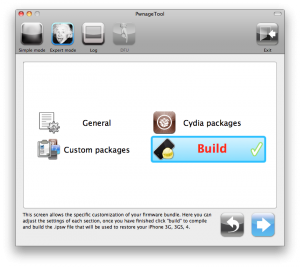
UPDATE: Please think first, before you do something.
UPDATE 2: If you have 05.13 baseband or lower - do not update! Use PwnageTool.
UPDATE 3: If you have 4.1 and 3gs with new bootrom, do not update to 4.2.1, create custom 4.1 firmware using pwnagetool.
UPDATE 4: WARNING: updating to iPad baseband for iPhone unlock may disable your GPS
UPDATE: Please, consider reading our Jailbreak & Unlock FAQ, especially if you have questions or troubles.
These are instructions on how to jailbreak and unlock your iPhone 3GS on iOS 4.1 using PwnageTool 4.1.3 for Mac OS X. This tutorial will explain how to upgrade your baseband if needed for an unlock.
For iPhone 3G use this tutorial.
There is no unthethered jailbreak for new iPhone 3GS bootroms and iOS 4.2.1 yet, so you should stay at iOS 4.1.
Important: iPhone3GS users with old bootroms who want to go to 4.2.1 and unlock should not use this PwnageTool! Update to stock 4.2.1 first, then use new redsn0w to update your baseband.
Step One
Make a folder called "Pwnage" on the desktop. Download a couple of things:
Leave a comment, read comments [15]
Step-by-step Tutorial: How to Jailbreak and Unlock Your iPhone 3G Using PwnageTool 4.1.3 (Mac OS) [iOS 4.2.1]
UPDATE: Обязательно (!) думайте перед тем, как что-нибудь сделать. Читайте внимательно и еще раз думайте. Не понятно - читайте снова. Спрашивайте до, а не после.
UPDATE 2: Если у вас 05.13 baseband и ниже - она ломается старыми способами, не надо обновляться до 05.14, 05.15 и 06.15. Хочется перейти на 4.1/4.2 - тогда делайте кастом прошивку с помощью pwnagetool.
UPDATE 3: Обновив версию baseband до iPad для анлока iPhone можно потерять GPS
UPDATE: Please, consider reading our Jailbreak & Unlock FAQ, especially if you have questions or troubles.
Данное пошаговое руководство позволит вам сделать джейлбрейк и анлок iPhone 3G на iOS 4.2.1 с помощью PwnageTool 4.1.3 под Mac OS X. Здесь также будут даны инструкции по обновлению baseband, если это необходимо для анлока (отвязки от оператора сотовой связи).
Для iPhone 3GS используйте руководство для iPhone 3GS.
Для пользователей Windows есть соответствующее пошаговое руководство.
Шаг 1
Создайте папку "Pwnage" на десктопе. Скачайте в нее все необходимое:
Leave a comment, read comments [31]
HowTo bring the screen lock switch back to iPad iOS 4.2
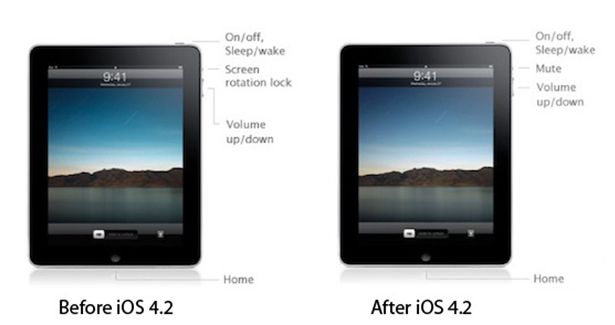
In iPad OS 4.2 'Orientation Lock' was changed to 'Mute Switch'. If you want to change it back there is an app for that.
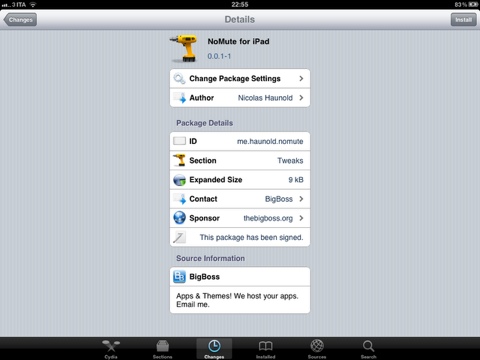
NoMute, a jailbreak only application, switches the controversial mute switch from iPad 4.2 into its former (and more useful) orientation lock. The plugin is free and you can get it from the BigBoss repository on Cydia.
By the way you can lock screen orientation without jailbreaking through multitasking panel - just push Home button twice, slide to the left and hit lock icon.
Cydia is iOS 4.2 ready for iPhone and iPad

Hacker chpwn recently has announced that Cydia is now ready for iOS 4.2 release.
esmandau: @chpwn how's Cydia for iOS 4.2 Going....! #Thanks "For Just Reading Me"
chpwn: @esmandau In ready position.
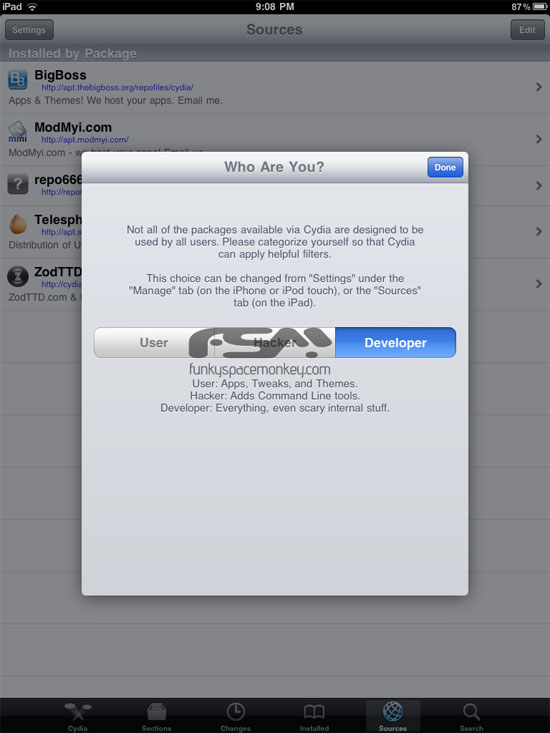
Take a look at new Cydia screenshots for iPhone and iPad. You'll notice some improvements especially in the iPad version. The iPhone version didn’t get many UI changes, mainly the way some views transition when installing packages.

Leave a comment, read comments [1]
Step-By-Step Tutorial: How to install MobileTerminal on iPhone with iOS 4.x and iOS 5.x
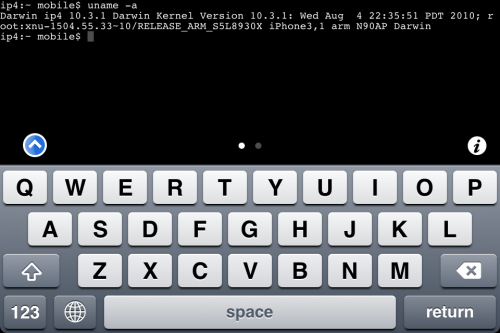
MobileTerminal is a terminal emulator application for the iPad and iPhone. The version of MobileTerminal that is available in Cydia doesn't work with iPhone iOS 4.x and iOS 5.x. However there are beta versions that do work, but aren't on Cydia because they are still in beta stages. This tutorial will show you step-by-step how to install MobileTerminal on iPhone with iOS 4.x and iOS 5.x (tutorial for iPad is here). If you have old version of MobileTerminal installed - uninstall it in Cydia (Search - MobileTerminal - Remove).
First of all you need to jailbreak your iPhone. After you successfully jailbreaked iPhone:
- Run Cydia by tapping on Cydia icon
- The Cydia will start:

Leave a comment, read comments [1]
Step-By-Step Tutorial: How to install MobileTerminal on Apple iPad
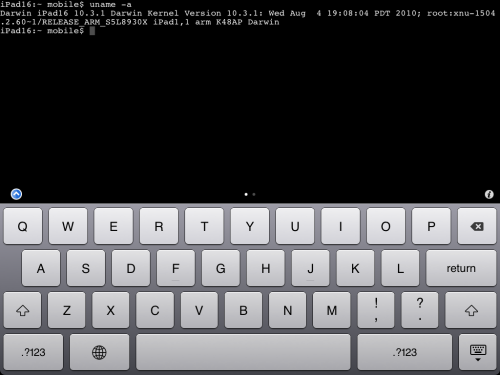
MobileTerminal is a terminal emulator application for the iPad and iPhone. The version of MobileTerminal that is available in Cydia doesn't work with iPad iOS 3.2.2, iOS 4.x and iOS 5.x. However there are beta versions that do work, but aren't on Cydia because they are still in beta stages. This tutorial will show you step-by-step how to install MobileTerminal on iPad (tutorial for iPhone is here). If you have old version of MobileTerminal installed - uninstall it in Cydia (Search - MobileTerminal - Remove).
First of all you need to jailbreak your iPad. After you successfully jailbreaked iPad:
- Run Cydia by tapping on Cydia icon
- The Cydia will start:
Step-by-step Tutorial: how to jailbreak and unlock your iPhone using PwnageTool 4.1.2 (Mac)
These are instructions on how to jailbreak your iPhone using PwnageTool 4.1.2 for Mac OS X. If you need unlock and you have not updated to iOS 4 you will be able to preserve baseband and unlock iPhone using ultrasn0w.
This guide will work for iPhone 4, iPhone 3GS, iPhone 3G, iPod Touch 3G, iPod Touch 4G, iPad and AppleTV. Just use the right firmware and select the right device (step four).
UPDATE: Please, consider reading our Jailbreak & Unlock FAQ, especially if you have questions or troubles.
Step One
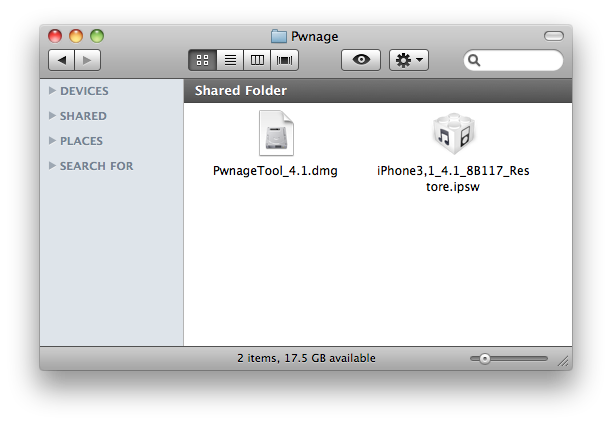
Make a folder called "Pwnage" on the desktop. Now you need to download there PwnageTool 4.1.2 from here and iOS 4.1 firmware from here.
When downloading the IPSW file, it is best to download it with Firefox since Safari often auto extracts it!
Step Two
Double click to mount PwnageTool then drag the PwnageTool icon into the Pwnage folder.
Leave a comment, read comments [33]
PwnageTool 4.1 released
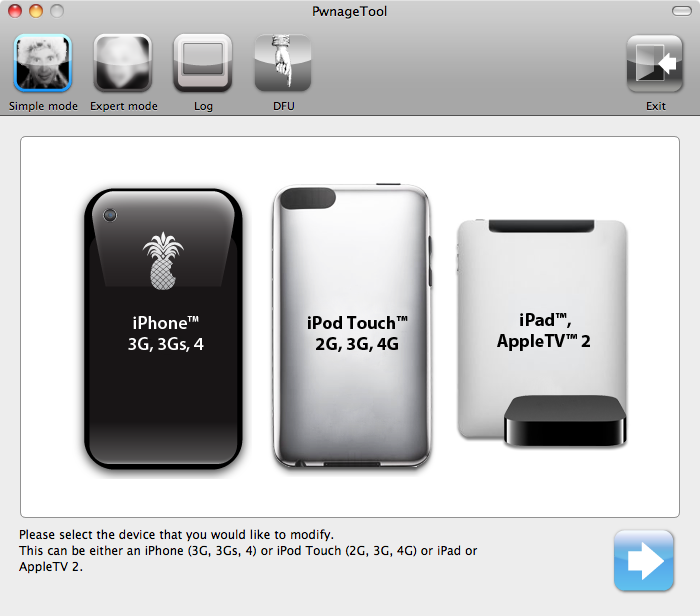
The iPhone DevTeam has just released jailbreak utility PwnageTool 4.1 for Mac OS X.
PwnageTool allows you to restore to a custom IPSW file. The main advantage of PwnageTool is for unlockers. It gives the ability to keep current baseband and preserve ultrasn0w unlock. This is only for those, who have not updated to iOS 4.1 by themseleves.
You can also add whatever packages you want in the “Expert” mode of PwnageTool, if you wish to pre-install something from Cydia.
Here is a list of supported devices:
- iPhone4
- iPhone 3GS
- iPhone 3G
- iPad (firmware 3.2.2)
- AppleTV 2G
- iPod touch 4G
- iPod touch 3G
You can download PwnageTool 4.1 here.
UPDATE: PwnageTool 4.1.1 is now available
Here is a step-by-step Tutorial: how to jailbreak and unlock your iPhone using PwnageTool 4.1.1.
Step-by-step Tutorial: how to jailbreak iPad with iOS 3.2.2 using Limera1n (Windows)
These are instructions on how to jailbreak your iPad with latest iOS 3.2.2 using Limera1n for Windows. You can find the Mac OS version of this tutorial here.
UPDATE: Please, consider reading our Jailbreak & Unlock FAQ, especially if you have questions or troubles.
Step 1
Open your browaer and navigate to and download LimeRa1n for Windows by clicking on the Windows.
When prompted save the download to your desktop
Leave a comment, read comments [1]
Step-by-step Tutorial: how to jailbreak iOS 4.0-4.1 on iPhone 3GS or iPhone 4 using Limera1n (Windows)

These are instructions on how to jailbreak your iPhone 3GS (all bootroms) and iPhone 4 using Limera1n for Windows. Limera1n supports iOS 4.0, iOS 4.0.1, iOS 4.0.2 and iOS 4.1. Use the same steps to jailbreak iPod Touch 4G and iPod Touch 3G and even iPad. You can find the Mac OS version of this tutorial here.
Remember: Do not update to iOS 4.1 if you need the unlock. Ultrasn0w does not support that baseband yet.
UPDATE: Please, consider reading our Jailbreak & Unlock FAQ, especially if you have questions or troubles.
Step 1
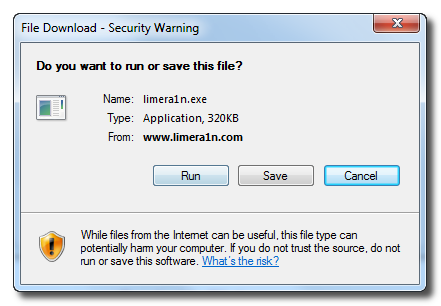
Open your browaer and navigate to and download LimeRa1n for Windows by clicking on the Windows.
When prompted save the download to your desktop
Leave a comment, read comments [141]
How to Enable HDR Photography on Your iPhone 3GS
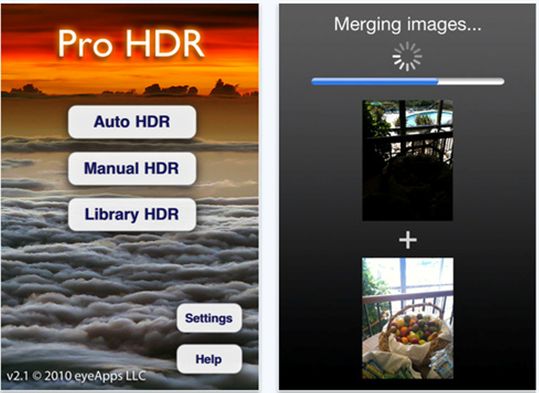
Apple's iOS 4.1 update brought HDR photography to the iPhone 4 but left out the iPhone 3GS. Here are two ways to add HDR photography to your unsupported device.
Leave a comment, read comments [1]
Check out HDR photos on iPhone 3G or 3GS!
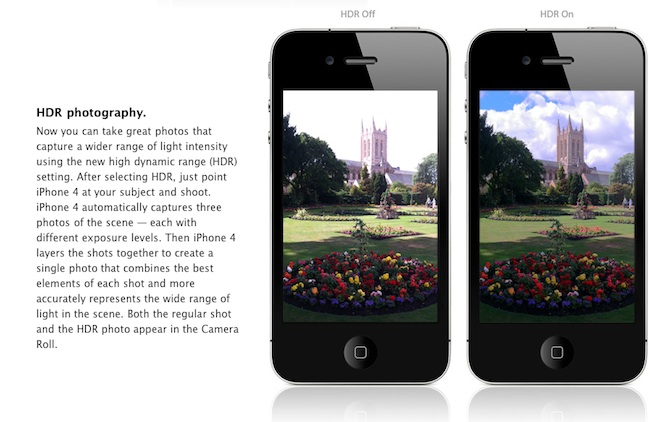
Are you looking forward to add a very popular HDR feature to your old iPhone? Do not worry! If you have a jailbroken (or ready to jailbreak) iPhone 3GS or 3G that runs on iOS 4.1, you can enable HDR photos. Here is a quick tutorial:
Leave a comment, read comments [7]
Cydia Has Acquired Rock Your iPhone
Cydia, the jailbreak App Store, is without a doubt the symbol of jailbreaking. Rock, a second App Store, has had some success of its own over its 18 months of existence. Well, times have changed. Saurik, Cydia’s creator, has now acquired Rock and will merge it into Cydia. As a result, all apps, licenses and so on will be moved from Rock to Cydia over the next couple of days. This will bring the total number of available jailbreak apps, themes and extensions to over 20,000. As for Rock, it will be shut down.
Download YourTube 2.0 for iOS 4, iPhone 4 and iPad
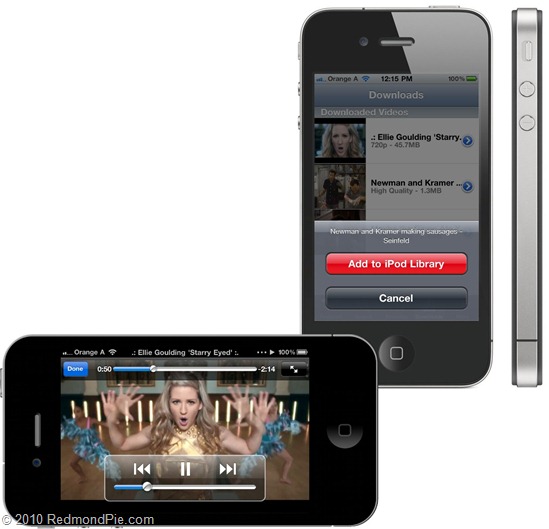
Finally we’ve got it! The updated YourTube 2.0 application has been launched, which boasts the full support of iOS 4.x for jailbroken phones, supporting devices such as iPad and iPhone 4 Retina Display. Now you can simply download video to your device iPod touch, iPad and iPhone, as well as import all your downloaded videos in the application for the iPod. This new feature is called «Gremlin» and will be available a bit later for other Cydia applications, such as Attachment Saver and Safari Download Manager.