 iPhoneRoot.com

News from category ‘Firmware’
Corona untethered jailbreak for iOS 5.0.1 gets updated
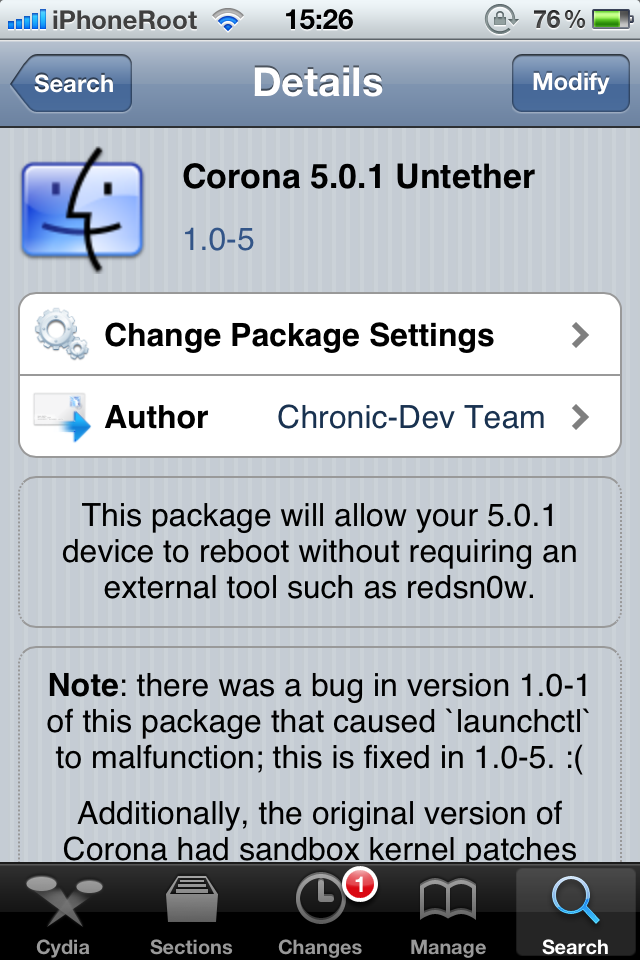
Saurik has announced that an update to the Corona Untethered Jailbreak has been released in Cydia.
The update fixes issues for iBooks and launchd and it's recommended that users who previously jailbroke their A4 devices install the Corona package from Cydia.
Corona (5.0.1 untether) 1.0-4 is now out: users of redsn0w or the older packages should install. This fixes both iBooks and launchd (again).
As many users don't realize that untethers only affects boot, I just released 1.0-5 of the Corona package, which forces a reboot on upgrade.
 Leave a comment, read comments [2]
Pod2g posted a video of successfully jailbroken iPhone 4S
Pod2g has posted a video made by DHowett showing the successful untethered jailbreak of the iPhone 4S on iOS 5.0.1.
Leave a comment, read comments [5]
RedSn0w 0.9.10b4 released: includes fixes for iBooks and launchctl
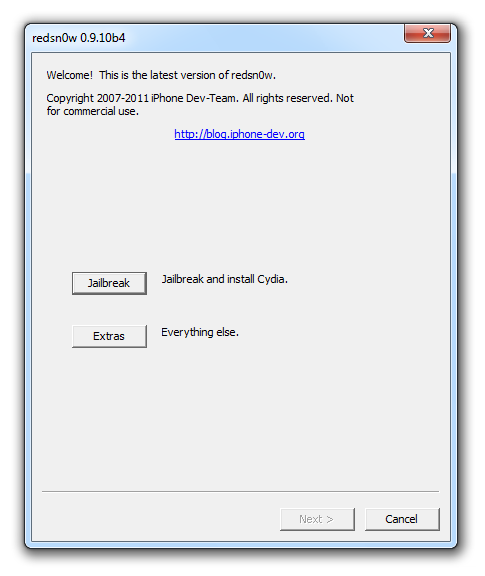
iPhone Dev Team have just released a new version of RedSn0w 0.9.10b4. It includes a fixes for iBooks and launchctl. As always, you can simply run the new redns0w over your current jailbreak, just make sure to uncheck Cydia. To fix iBooks and launchctl errors you can also simply install new version of Corona from Cydia.
iH8Sn0w Releases Update to iREB for Windows
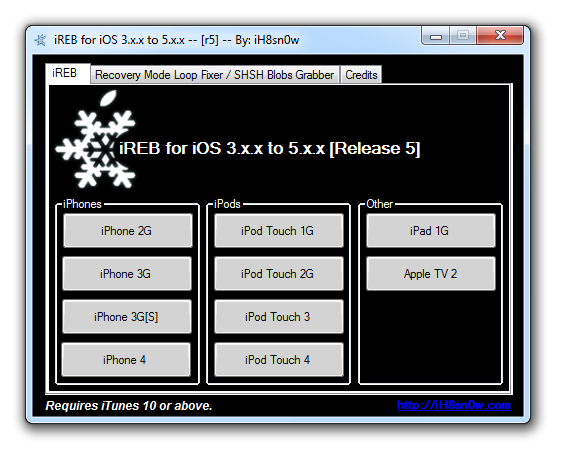
iH8Sn0w has announced the release of iREB r5, an update to his Windows utility that helps you get past iTunes errors when restoring to a custom firmware.
Release Notes:
● Much smaller file size (390kb).
● Fixed USB 3.0 issues.
● iREB's speed for the iPhone 2G/iPhone 3G/iPod Touch 1G has increased significantly!
● Fixed rare DFU detection issues.
● Updated limera1n/steaks4uce payload to not hook "cmd_go" on 4.x images (nothing severe, but useless here).
You can download iReb version 5 here.
Untethered jailbreak for iPad 2 and iPhone 4S will be released in a few days
The 'dream team' of iPhone hackers has made more progress on the A5 jailbreak with planetbeing just announcing that they're out of Apple's sandbox.
And we're out of the sandbox with @saurik's invaluable help! (well, at least there's a PoC) 😀 Turning out more complex than X-Gold 618.
pod2g also mentioned progress in twitter:
@planetbeing escaped from the sandbox with the help of @saurik. Thanks to their awesome work, there should be nothing left blocking for the A5 jailbreak. Now it should be a matter of days. Still no precise ETA of course.
Leave a comment, read comments [22]
Apple is working on Siri Dictation for the iPad, iOS 5.1 beta reveals
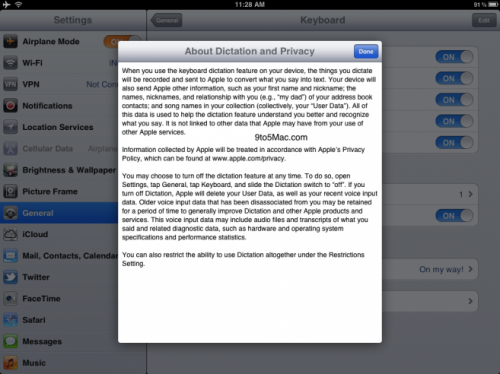
9to5Mac has reported a couple of hours ago that has discovered something potentially major: Siri Dictation references inside the iOS 5.1 beta 3 released today. Sonny Dickson (9to5Mac’s tipster) was looking through the iOS 5.1 beta 3 settings application on the iPad and discovered a new section in the keyboard menu called “About Privacy and Dictation.” When he opened it, as shown above, the iPad provides the user with the standard legal literature and feature information for Siri Dictation.
Dictation is not actually functional on the iPad 2 running iOS 5.1 beta 3, so perhaps this will be an iOS 5.1 launch feature for the iPad, or it may be an iPad 3-exclusive feature; a similar process to the iPhone 4S exclusively gaining Siri and Siri Dictation support in iOS 5.0. We’re also hearing this link/document is also appearing on retina iPod touches as well.
Leave a comment, read comments [2]
Step-by-step Tutorial: How to Untether Jailbreak Apple TV 2G Using Seas0nPass (Windows / Mac OS) [iOS 4.4.4]

Using this tutorial you will be able to untether jailbreak iOS 4.4.4 running on Apple TV 2G. This tutorial uses Seas0nPass for Mac OS X or Windows.
UPDATE: Please, consider reading our Jailbreak & Unlock FAQ, especially if you have questions or troubles.
Step one
- Make sure you're running the latest version of iTunes.
- Download Seas0nPass: |
- A micro USB cable will be required to connect Apple TV 2G to computer.
- Disconnect all iPods, iPhones, and iPads from the computer before running Seas0nPass.
Saurik makes contribution towards iPad 2 and iPhone 4S untethered jailbreak
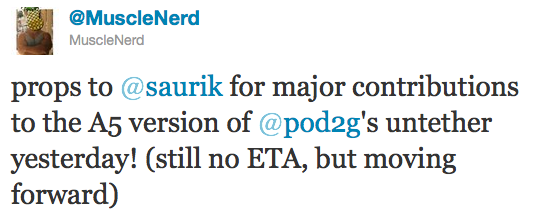
It looks like iPad 2 and iPhone 4S untethered jailbreak will truly be a team effort. Recently another hacker Saurik joined the team and made "some major contributions" yesterday.
Last week Pod2g announced that Planetbeing, MuscleNerd, and P0sixninja joined his effort to release an untethered iOS 5.0.1 jailbreak of the iPhone 4S and iPad 2 (A5 CPU devices).
Today, MuscleNerd noted that the team has received some major contributions from saurik:
iPhone Dev-Team Releases PwnageTool 5.0.1 for iOS 5.0.1

The iPhone Dev-Team has updated PwnageTool with support for the iOS 5.0.1 untethered jailbreak. PwnageTool lets you easily create a custom ipsw for upgrading to iOS 5.0.1.
Unlockers can use custim firmware to preserve baseband version and unlock with ultrasn0w or gevey. Depending on your device you can also configure the ipsw with boot logos and Cydia packages.
PwnageTool 5.0.1 supports iPhone 3GS, iPhone 4, iPad 1, Apple TV 2G, iPod Touch 3G, iPod Touch 4G.
You can download the new version of PwnageTool 5.0.1 from here.
UPDATE: Here are our step-by-step tutorials that will guide you through all the process of untethered jailbreaking iOS 5.0.1 with PwangeTool 5.0.1:


Leave a comment, read comments [3]
Step-by-step Tutorial: How to Untether Jailbreak and Unlock iPhone 3GS Using RedSn0w 0.9.10 (Windows) [iOS 5.0.1]
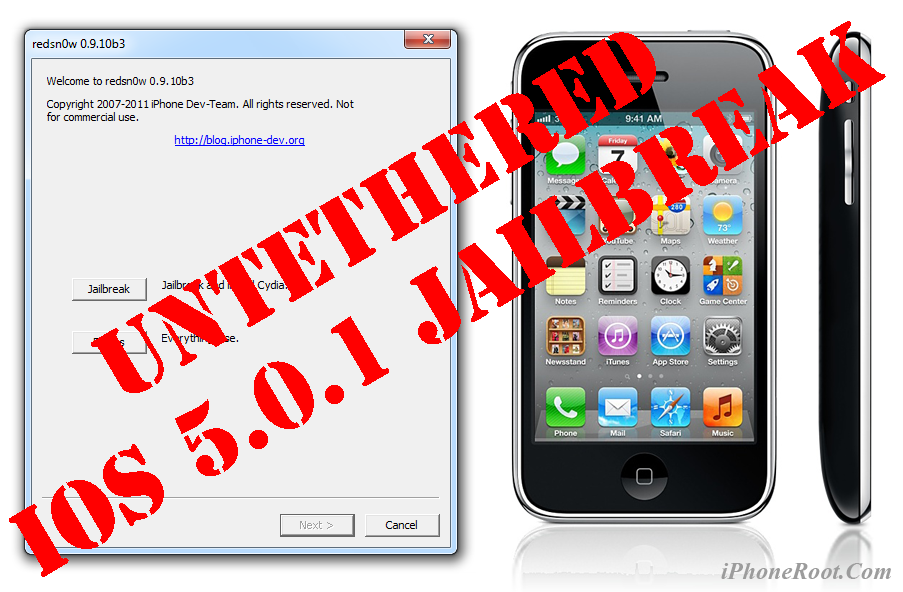
UPDATE: Apple released iOS 5.1 that is only tethered jailbreakable with redsn0w. Apple has stopped signing iOS 5.0.1, so you can NOT restore to 5.0.1 any more (both original and custom), unless you have saved your SHSH keys for 5.0.1. If you are on 5.0.1 you can jailbreak with redsn0w.
This is step-by-step instructions on how to perform untethered jailbreak of your iPhone 3GS on iOS 5.0.1 firmware using RedSn0w 0.9.10 for Windows.
Untethered jailbreak means that each time you restart your device you will NOT need to connect it to a computer and run utilities.
Important: If you need unlock and have 05.13 baseband or lower - do not update to Apple firmware, use RedSn0w or Sn0wBreeze to create custom firmware!
If you need unlock Redsn0w will provide you with choice of updating your baseband to 06.15. If you have new iPhone 3GS that was made after 35 week of 2011 upgrading modem will not help to unlock.
Leave a comment, read comments [470]
"Dream Team" will work on untethered iPad 2 and iPhone 4S jailbreak

Pod2g has recently announced that Planetbeing, MuscleNerd, and P0sixninja have joined his effort to release an iOS 5.0.1 untethered jailbreak for the iPhone 4S and iPad 2.
@planetbeing, the legendary hacker behind iPhone Linux and lot of jailbreaks has joined the A5 research! The famous @MuscleNerd, the leader of the iPhone Dev Team, who did a lot of tests for Corona and whom integrated it and made it simple in redsn0w is willing to help also. And last, but not least @p0sixninja, the leader of the Chronic Dev Team, and my partner for years on iPhone security research has started to code and fuzz the Apple sandbox.
That means that we now have a dream team to create a public release of the A5 jailbreak.
Leave a comment, read comments [7]
Untethered Jailbreak for Apple TV running iOS 4.4.4 Released

Seas0nPass has been updated to perform an untethered jailbreak of the Apple TV running iOS 4.4.4.
Happy New Year! Today we are happy to release an updated version of Seas0nPass that supports an untethered jailbreak of the latest 4.4.4 (iOS 5.0.1) AppleTV software. Big thanks goes to the world famous @pod2g for doing the lion's share of the work to make this new version possible.
Most of the apps are working just fine:
Step-by-step Tutorial: How to Untether Jailbreak iPad 1 Using RedSn0w 0.9.10 (Windows) [iOS 5.0.1]
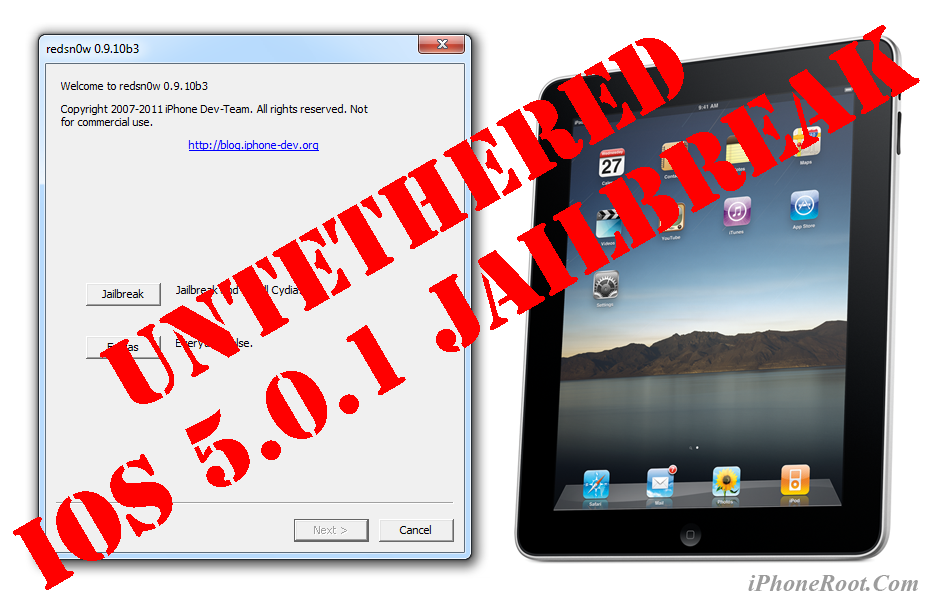
UPDATE: Apple released iOS 5.1 that is only tethered jailbreakable with redsn0w. Apple has stopped signing iOS 5.0.1, so you can NOT restore to 5.0.1 any more (both original and custom), unless you have saved your SHSH keys for 5.0.1. If you are on 5.0.1 you can jailbreak with redsn0w.
This is step-by-step instructions on how to perform untethered jailbreak of your iPad on iOS 5.0.1 firmware using RedSn0w 0.9.10 for Windows.
Untethered jailbreak means that each time you restart your device you will NOT need to connect it to a computer and run utilities.
Leave a comment, read comments [71]
Step-by-step Tutorial: How to Untether Jailbreak iPod Touch 3G Using RedSn0w 0.9.10 (Windows) [iOS 5.0.1]
UPDATE: Apple released iOS 5.1 that is only tethered jailbreakable with redsn0w. Apple has stopped signing iOS 5.0.1, so you can NOT restore to 5.0.1 any more (both original and custom), unless you have saved your SHSH keys for 5.0.1. If you are on 5.0.1 you can jailbreak with redsn0w.
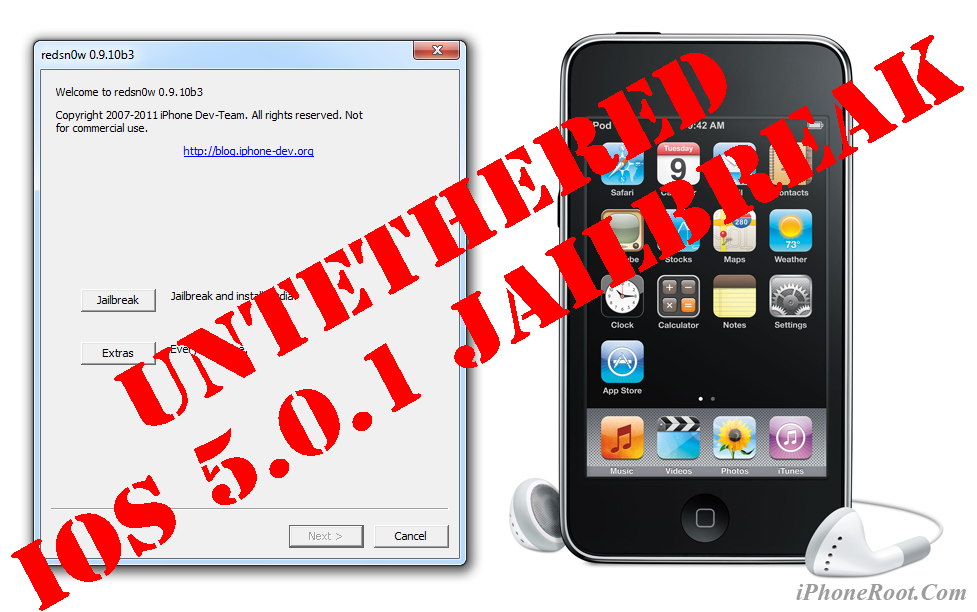
This is step-by-step instructions on how to perform untethered jailbreak of your iPod Touch 3G on iOS 5.0.1 firmware using RedSn0w 0.9.10 for Windows.
Untethered jailbreak means that each time you restart your device you will NOT need to connect it to a computer and run utilities.
Leave a comment, read comments [11]
Step-by-step Tutorial: How to Untether Jailbreak iPod Touch 4G Using RedSn0w 0.9.10 (Windows) [iOS 5.0.1]
UPDATE: Apple released iOS 5.1 that is only tethered jailbreakable with redsn0w. Apple has stopped signing iOS 5.0.1, so you can NOT restore to 5.0.1 any more (both original and custom), unless you have saved your SHSH keys for 5.0.1. If you are on 5.0.1 you can jailbreak with redsn0w.
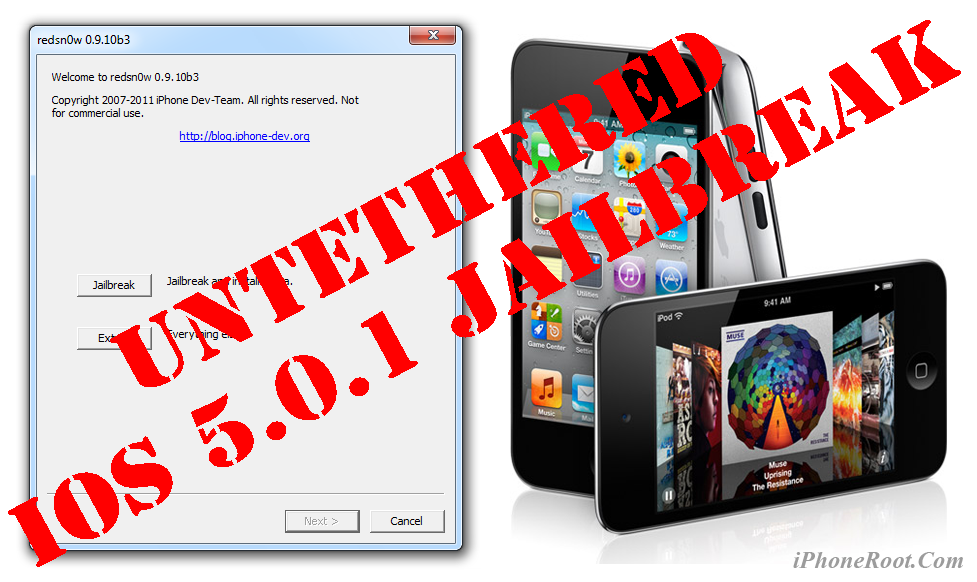
This is step-by-step instructions on how to perform untethered jailbreak of your iPod Touch 4G on iOS 5.0.1 firmware using RedSn0w 0.9.10 for Windows.
Untethered jailbreak means that each time you restart your device you will NOT need to connect it to a computer and run utilities.
Leave a comment, read comments [506]