 iPhoneRoot.com

News from category ‘Firmware’
“Find My Friends” Service Coming Soon
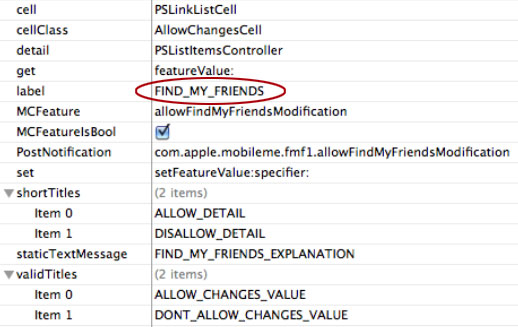
People are beginning to dig into the newly released iOS 4.3 developer build and has revealed settings for a new feature called "Find My Friends, " which is tied to Apple’s MobileMe service. Apple may be looking to offer a location-based friend-finding service like Loopt and Google Latitude. Moreover, such services have seen incredible growth and interest in the recent years, with several companies like Twitter and Facebook offering location-based features. Location-based services allow you to find your friends by leveraging your mobile phone’s GPS signal. The constant updates can broadcast your location to your friends to know who is nearby.
Apple Releases iOS 4.3 Beta to Developers

Yesterday Apple released the first beta of iOS 4.3 for the iPhone, iPad and Apple TV. iOS 4.3 brings new multi-touch gestures built specifically for the iPad, including 4- and 5-finger gestures. The new beta reportedly allows users to pinch to access the home screen, to swipe up to reveal the multitasking tray, and swipe left and right to switch between open applications. The new update also reportedly adds the ability to change the functionality of the iPad hardware switch. The new beta confirms rumors that Apple would add its new Personal Hotspot feature to existing GSM iPhones with iOS 4.3. The functionality allows users to share their 3G data connection with up to five devices over Wi-Fi. Those reports claimed that Apple plans to publicly release iOS 4.3 in March.
Apple confirms New Year's alarm bug, says to wait until Jan 3
Apple has confirmed an iOS bug where one-time alarms had stopped functioning after the device's clock had ticked over to January 1, 2011. Non-repeating alarms fail to ring on the first few days of the new year. As reported, the issue affects devices running the iOS 4.2.1, the latest version of iOS. Apple recommends users to set recurring alarms until January 3, when the alarms will resume working properly.
Apple spokesperson Natalie Harrison said: “We are aware of an issue related to non repeating alarms set for January 1 or 2. Customers can set recurring alarms for those dates and all alarms will work properly beginning January 3.”
Untethered iOS 4.2.1 Jailbreak for iPhone 4 next week
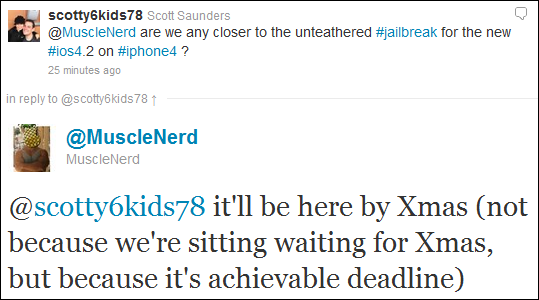
MuscleNerd from iPhone DevTeam tweeted that an untethered jailbreak solution for iOS 4.2.1 will be released soon, probably next week.
scotty6kids78: @MuscleNerd are we any closer to the unteathered #jailbreak for the new #ios4.2 on #iphone4 ?
MuscleNerd: @scotty6kids78 it’ll be here by Xmas (not because we’re sitting waiting for Xmas, but because it’s achievable deadline)
This untethered solution will be applicable to all current iOS 4.2.1 devices, including iPhone 4, iPhone 3GS, iPad, Apple TV 2G and iPod touch 4G. We will keep you updated.
 Leave a comment, read comments [1]
Apple disabled jailbreak detection API in iOS 4.2

Apple has reportedly disabled its jailbreak detection API through iOS 4.2 software update. The API helped third-party mobile device management (MDM) applications to check for unauthorized modifications of system files. Apple's jailbreak detection API provided MDM applications direct access to iOS system information and was able to ask the operating system directly if it had been jailbroken. Jailbreak exploits typically change a number of operating system files, and exploit one or another low-level OS features to let users directly load their own or third-party applications.
Apple updates MacBook Air firmware to address display issue
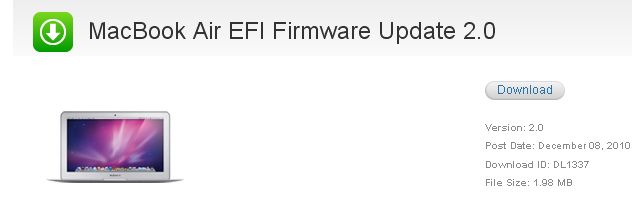
On Wednesday Apple released a MacBook Air EFI firmware update 2.0 to resolve issue with display. The update is recommended for all new 11-inch and 13-inch MacBook Air models and requires Mac OS X 10.6.5. It addresses problems where the MacBook Air is unresponsive or displays just a black screen after booting or waking. Despite scattered reports of issues with the MacBook Air, the laptop has continued to sell well, especially the 11-inch model. Analysts tracking retail activity on Black Friday found that the 11-inch MacBook Air was "flying off the shelves" and a "customer favorite."
Download
DevTeam Successfully Untethers iPhone iOS 4.2.1 Jailbreak
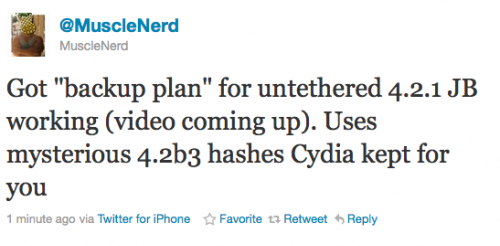
Currently iOS 4.2.1 jailbreak for iPhone 4, iPhone 3GS new bootrom, iPad, iPod 3G/4G is a tethered jailbreak. That means if you have to reboot your device, it will show a "connect to itunes" logo until you run the jailbreak software again. Musclenerd from iPhone DevTeam has announced that untethered jailbreak for iPhone iOS 4.2.1 is ready. Unfortunately this will be only for those who saved 4.2b3 SHSH keys via Cydia or tinyumbrella.
Got "backup plan" for untethered 4.2.1 JB working (video coming up). Uses mysterious 4.2b3 hashes Cydia kept for you.
"Backup plan" because hacker comex is working on a more extensible jailbreak. We'll keep you up to date with more information as it develops. For now you can watch the proof video:
Leave a comment, read comments [4]
iOS 4.2 bugs: Disappearing Folders
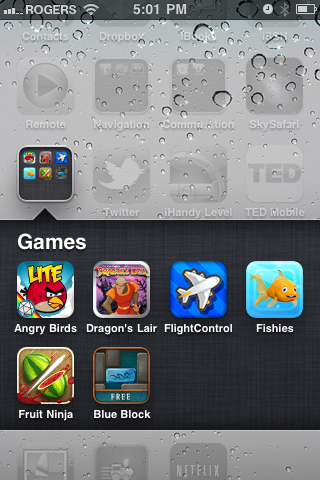
You had spent minutes or even hours organizing your countless applications into Folders and finally noticed that folders gone and your apps exploded back across your Home Screen. Not surprising! Unfortunately, the disappearing folders had been noticed already in iOS 4 came out in June. So we see that the bug wasn’t fixed. Since it’s been around for several months and is still around after iOS 4.2 release it’s hard to understand the cause. Some users have experienced it after updating to a new version of iTunes, others after updating their applications on-device or doing hard resets.
Leave a comment, read comments [1]
WARNING: updating to iPad baseband for iPhone unlock may disable your GPS
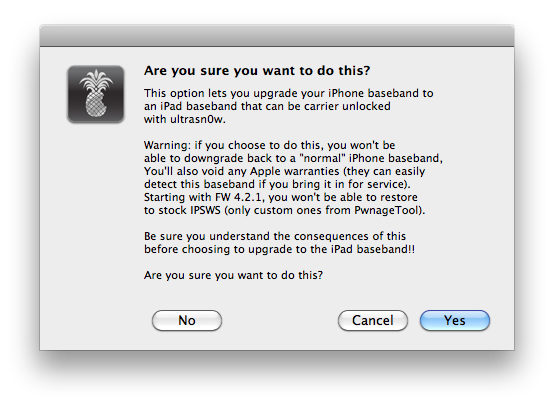
The iPhone Dev-Team has issued a notice stating that updating your iPhone to the iPad baseband for unlock could result in the loss of GPS functionality.
Unlockers have been reporting mixed results about GPS functionality at 06.15.00. Until we can track down what differentiates those who retain GPS vs. those who lose it, be conservative and assume you’ll lose GPS at 06.15.00. As we work on finding the cause (and possibly a fix), please report your personal findings in our comments section. (Update: early indications are that while 06.15.00 is capable of GPS, it will require some further hacks. But please still be conservative and assume you will lose GPS at 06.15, in case the hacks don’t work).
Hackers are currently working to fix this.
As usual we remind all users - if you don't absolutely need to update your baseband, don't do it.
Leave a comment, read comments [1]
Apple Posts New iPad Ad To Showcase iOS 4.2 Features
Recently Apple posted the new iPad commercial called “iPad is amazing” on their official webpage. New ad is aimed to showcase new iOS 4.2 features, including AirPlay, AirPrint, multitasking and the usual selection of apps. Surprisingly that no folders are shown in the video. Enjoy!
Step-by-step Tutorial: How to Jailbreak and Unlock Your iPhone 3G/3GS Using RedSn0w 0.9.6b5 (Mac OS X) [iOS 4.2.1]
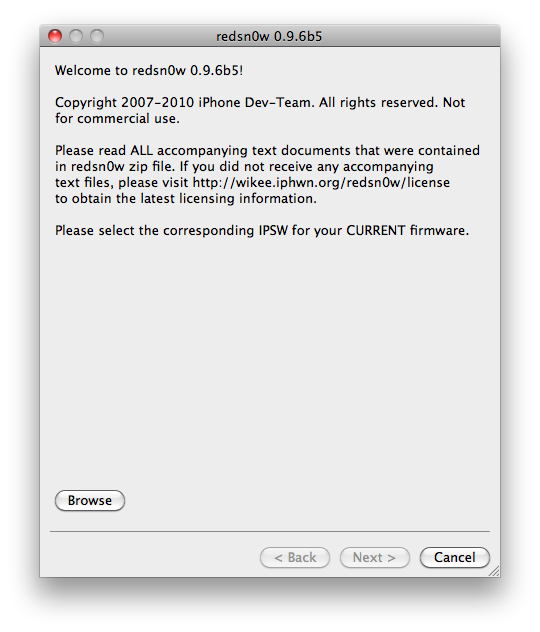
Jailbreak utility RedSn0w 0.9.6 b5 is available for both Windows and Mac OS X. The process is the same on both operating systems. So you can use redsn0w tutorial for windows. There is only one major difference - download redsn0w for Mac OS here or .
Step-by-step Tutorial: How to Jailbreak and Unlock Your iPhone 3GS Using RedSn0w 0.9.6b5 (Windows) [iOS 4.2.1]

UPDATE: Please think first, before you do something.
UPDATE 2: If you have 05.13 baseband or lower - do not update to 4.2.1, use PwnageTool to create custom firmware!
UPDATE 3: If you have new bootrom and ios 4.1, do not update to 4.2.1 - you will loose untethered jailbreak.
UPDATE 4: WARNING: updating to iPad baseband for iPhone unlock may disable your GPS
This is step-by-step instructions on how to jailbreak and unlock your iPhone 3GS on iOS 4.2.1 firmware using RedSn0w 0.9.6b5 for Windows.
For iPhone 3G use this tutorial.
If you have an iPhone 3GS with the new bootrom you will only be able to perform a tethered jailbreak at this time. This means you will need Redsn0w's assistance to boot into your jailbroken device.
UPDATE: Please, consider reading our Jailbreak & Unlock FAQ, especially if you have questions or troubles.
IMPORTANT FOR UNLOCKERS
During this process you can update your baseband to the 06.15 version. If you are on 05.14 or 05.15 or higher you will need to do this to unlock. You do not need to do this for jailbreak only. Please read the following very carefully before deciding whether to do this.
Leave a comment, read comments [404]
Step-by-step Tutorial: How to Jailbreak and Unlock Your iPhone 3G Using RedSn0w 0.9.6b5 (Windows) [iOS 4.2.1]
UPDATE: Please think first, before you do something.
UPDATE 2: If you have 05.13 baseband or lower - do not update to 4.2.1, use PwnageTool to create custom firmware!
UPDATE 3: WARNING: updating to iPad baseband for iPhone unlock may disable your GPS
UPDATE: Please, consider reading our Jailbreak & Unlock FAQ, especially if you have questions or troubles.
This is step-by-step instructions on how to jailbreak and unlock your iPhone 3G on iOS 4.2.1 firmware using RedSn0w 0.9.6b5 for Windows.
For iPhone 3GS use this tutorial.
IMPORTANT FOR UNLOCKERS
During this process you can update your baseband to the 06.15 version. If you are on 05.14 or 05.15 or higher you will need to do this to unlock. You do not need to do this for jailbreak only. Please read the following very carefully before deciding whether to do this.
Leave a comment, read comments [806]
Step-by-step Tutorial: How to Jailbreak and Unlock Your iPhone 3GS Using PwnageTool 4.1.3 (Mac OS) [iOS 4.1]
UPDATE: Please think first, before you do something.
UPDATE 2: If you have 05.13 baseband or lower - do not update! Use PwnageTool.
UPDATE 3: If you have 4.1 and 3gs with new bootrom, do not update to 4.2.1, create custom 4.1 firmware using pwnagetool.
UPDATE 4: WARNING: updating to iPad baseband for iPhone unlock may disable your GPS
UPDATE: Please, consider reading our Jailbreak & Unlock FAQ, especially if you have questions or troubles.
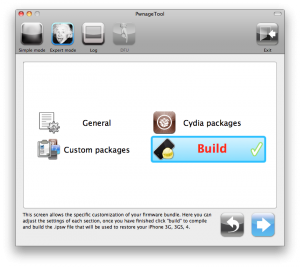
These are instructions on how to jailbreak and unlock your iPhone 3GS on iOS 4.1 using PwnageTool 4.1.3 for Mac OS X. This tutorial will explain how to upgrade your baseband if needed for an unlock.
For iPhone 3G use this tutorial.
There is no unthethered jailbreak for new iPhone 3GS bootroms and iOS 4.2.1 yet, so you should stay at iOS 4.1.
Important: iPhone3GS users with old bootroms who want to go to 4.2.1 and unlock should not use this PwnageTool! Update to stock 4.2.1 first, then use new redsn0w to update your baseband.
Step One
Make a folder called "Pwnage" on the desktop. Download a couple of things:
Leave a comment, read comments [15]
iPhone Dev-Team releases RedSn0w 0.9.6b5 for unlockers
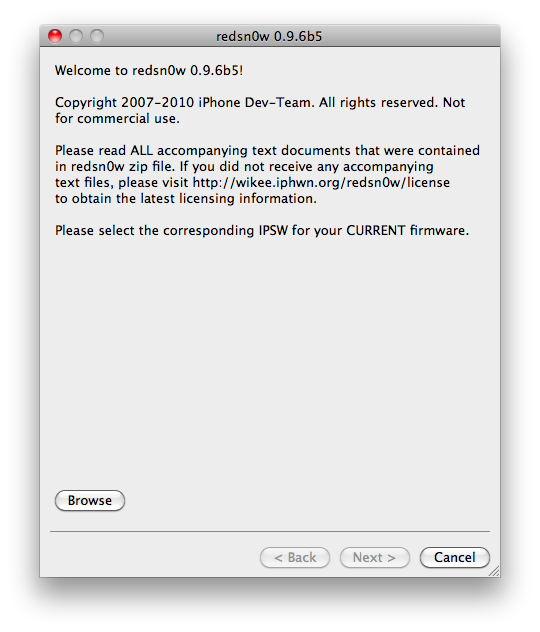
The iPhone Dev-Team has released RedSn0w 0.9.6b5 for unlockers stuck at the 05.14 or 05.15 basebands.
The new redsn0w 0.9.6beta5 is out. It gives both Windows and OSX users the ability to flash the iPad 06.15 baseband on iPhone3G or iPhone3GS. It fetches the baseband files directly from Apple for now (the only IPSW you ever point it at is the stock IPSW for the FW on your iPhone right now). There may be a long delay while it’s doing this (their servers are currently getting pounded).
You can download the new version of RedSn0w here:
- Download version for Mac OS X:
- Download version for Windows:
Windows 7 and Vista users, please run redsn0w as Administrator in "XP Compatiblity Mode".
We will soon post step-by-step tutorials.
UPDATE: tutorial for iPhone 3G (Windows), tutorial for iPhone 3GS (Windows)
UPDATE: Please, consider reading our Jailbreak & Unlock FAQ, especially if you have questions or troubles.
Leave a comment, read comments [3]