 iPhoneRoot.com

News from category ‘Firmware’
Apple released iOS 5 beta 2
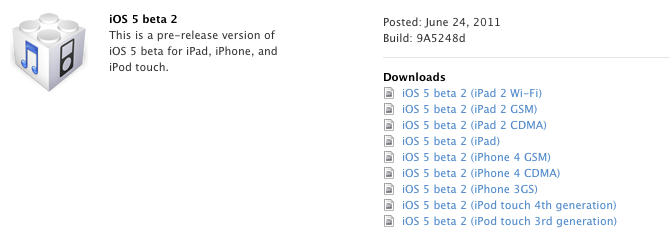
Apple has released iOS 5.0 beta 2 today. As usual it is for developers only, and for those who have activated UUID.
New firmware is available for iPhone 3GS, iPhone 4, iPod Touch 3G, iPod Touch 4G, iPad 1, iPad 2 and Apple TV.
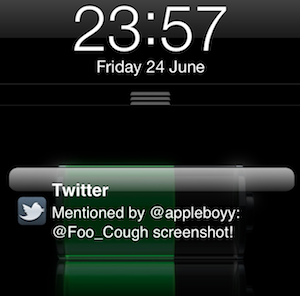
The most interesting new features one can find are: wireless syncing (works at least with iTunes 10.5 beta 2 on Mac OS 10.6.8 or Lion), new UI for notifications and silver iCloud logo in Setting. Apple also added functionality that let's you wirelessly restore your iDevice from an iCloud backup.
Legal hardware unlock for iPhone 4 released
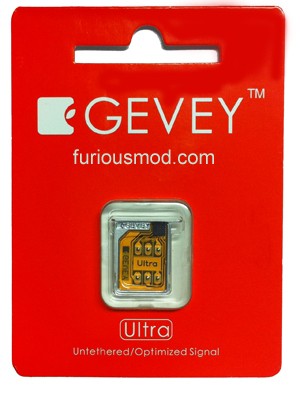
Gevey has released a new hardware unlock for iPhone 4 called Gevey Ultra SIM.
The main difference compared to the old Gevey unlock method is that you don't have to dial 112. dialing 112/911 and hanging up is illegal in most countries, now this problem is gone.
Gevey Ultra works with
- iOS 4.0, 4.1, 4.2.1, 4.3, 4.3.1, 4.3.2, 4.3.3
- Basebands 01.59, 02.10, 03.10.01, 04.10, 04.10.01
Some sources claim that Gevey Ultra works even with the latest iOS 5 beta 1.
If you have 01.59 baseband you can still use free software ultrasn0w unlock. For everything else - just buy Gevey Ultra for $35 .
The installation is simple, but requires jailbreak. Good luck iOS 4.3.3 is jailbreakable. See our jailbreak instructions here (Mac OS) and here (Windows).
Take a look at the Gevey Ultra video demo:
 Leave a comment, read comments [26]
iOS 5 untethered jailbreak for iPhone 3GS with old bootrom
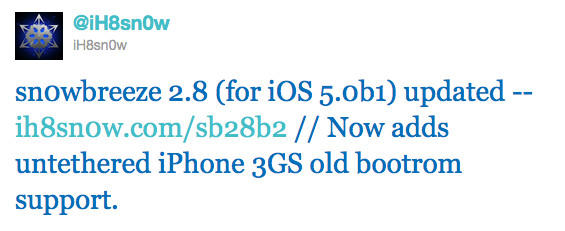
Hacker iH8Sn0w released Sn0wBeeze 2.8 beta 2 with ability to perform untethered jailbreak of the old bootrom iPhone 3GS on iOS 5.0b1. For other devices the jailbreak is still tethered.
Sn0wBreeze is a Windows application that creates a custom ipsw with jailbreak. It also preserves your baseband if you need unlock, but UltraSn0w has not yet been updated to work with iOS 5.
You can download Sn0wBeeze 2.8 beta 2 here.
How to downgrade from iOS 5 beta back to iOS 4.3.3
It is surprising how good the first beta version of iOS 5 is, but if for any reason you need to go back to iOS 4.3.3, we’ll show you how. There are at least two ways to do that:
Downgrade via XCode (Mac Only + dev license)
This is the easiest way to get back to a previous version of iOS. The bad part is that it can sometimes put you into a never ending DFU loop. You can typically use to kick you out of it.
1. Download the iOS 4.3.3 here (it is better to use Firefox).
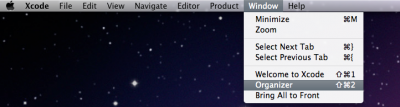
2. Open XCode and from the top select Window and then Organizer.
iOS 5 jailbreak for Windows released
We didn't have to wait long for the Windows version of recently released iOS 5 jailbreak utility for Mac OS.
DevTeam created a Windows version of Redsn0w 0.9.8 b1 and iH8sn0w released Sn0wBreese 2.8 b1. Both perform a tethered jailbreak of iOS 5 beta 1 on iPhone 3GS/4, iPod Touch 3G/4G and iPad 1.
You still need activated UUID. Both tools do NOT hactivate devices.
You can download Redsn0w 0.9.8 b1 and and Sn0wBreese 2.8 b1 for Windows here.
iOS 5 for iPad video walkthrough: Notification Center, iMessages, Music, Safari, Twitter, and more
9to5mac created an eleven minute walkthrough video of iOS 5 on the iPad. The video covers Messages with the iMessage service, Notification Center, new Music application, updated Safari, tweaked Mail, Twitter integration, updated Calendar, Settings, Reminders, the new keyboard, and more. Take a look:
iOS 5 jailbreak released: Redsn0w 0.9.8 b1

MuscleNerd recently Tweeted that iOS 5 beta 1 jailbreak is already available. DevTeam released Redsn0w 0.9.8 b1.
For now the jailbreak is tethered (you have to run redsn0w each time you reboot) and available for Mac OS X only. It will not activate your device, so you need have registered UDID. iPhone 3GS users with 06.15 baseband: redsn0w will get you past the iTunes restore error. This redsn0w will probably work on future versions of iOS 5.
Redsn0w 0.9.8 b1 works with iOS 5 b1 on iPhone 4 (GSM / CDMA), iPhone 3GS, iPod Touch 3G, iPod Touch 4G, iPad 1.
This is mostely for developers of Cydia apps. Most tweaks and Cydia applications do not work on iOS 5.
You can download Redsn0w 0.9.8 b1 here.
How to upgrade to iOS 5 without developer account
Before you even start thinking about it -
- you do it at your own risk
- you will probably loose warranty
- you cant go back to iOS 4.x once you go to iOS 5
- Apple will probably fix this soon.
The exploit uses a combination of Voiceover and the pull down notifications to activate the phone. The user that found this exploit says the device continues to work after restarts (so you won’t need to activate it every time you restart). The steps are:
Video: iOS 5 runs on iPhone 3GS
Here’s a good video of iOS 5 on iPhone 3GS. Some things users will be missing. Overall, the speed seems to be pretty good and the experience is largely the same as the iPhone 4.
Download links for iOS 5.0 beta 1 and iTunes 10.5 beta

Apple recently released iOS 5 beta and iTunes 10.5 beta. It is available only for Apple registered developers. But you can try it too. Remember that you do it at your own risk. Below you will find iOS 5 download links for iPhone 3GS, iPhone 4, iPod Touch 3G, iPod Touch 4G, iPad 1, iPad 2, Apple TV 2G and download links to iTunes 10.5 Mac and Windows.
Keep in mind that your iDevice will need to be activated, your UUID needs to be registered in Apple. Installing iOS beta on a non-activated device will render it useless. If you need help with registering UUID - write us, we will try to help..
Remember that currently there is no jailbreak for iOS 5 released. UPDATE: If you need a jailbreak - download it here.
(!) You will probably not be able to restore back to 4.х. UPDATE: how to go back to 4.3.3.
You can download iOS 5 beta 2 here.
iOS 5 is already jailbroken

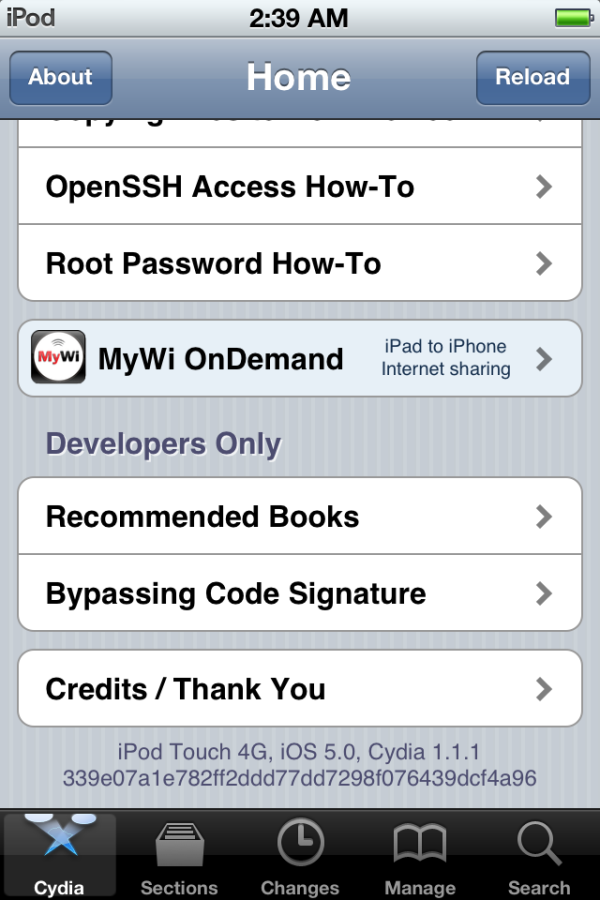
MuscleNerd has announced in Twitter that iOS 5 has been successfully jailbroken using old good LimeRa1n exploit. Cydia and SSH is working without any problems.
iOS5 jailbroken on ipt4g: http://is.gd/7GxIcK http://is.gd/BwPvfh via limera1n + tethered boot..not too many surprises 🙂
Cydia works fine too from quick testing (I installed SSH) http://is.gd/oADWEo
It is currently tethered, that means jailbreak is gone after reboot. Hopefully i0n1c will be able to port his untether to iOS 5. Anyway great news for all jailbreakers!
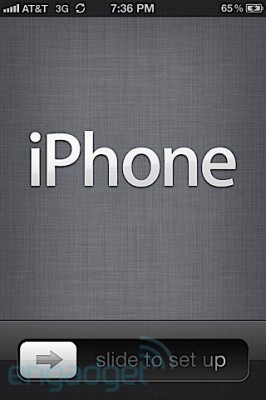
43 photos of iPhone iOS 5
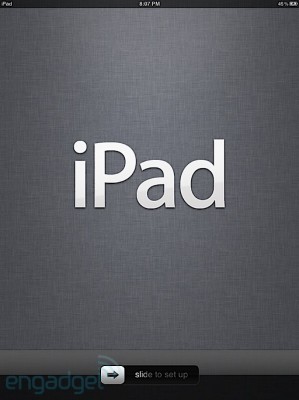
iPad iOS 5 photos
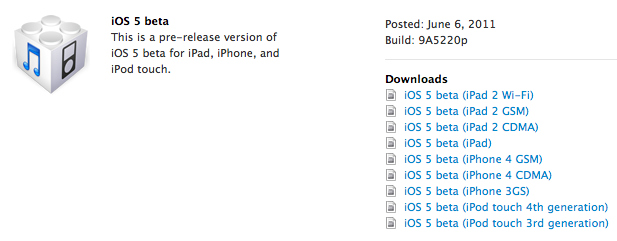
iOS 5 Beta is availabe to developers
Apple made iOS 5 beta available for developers. If you're an Apple registered developer, go get one here.
iPhone iOS 5 will flash on calls and alerts
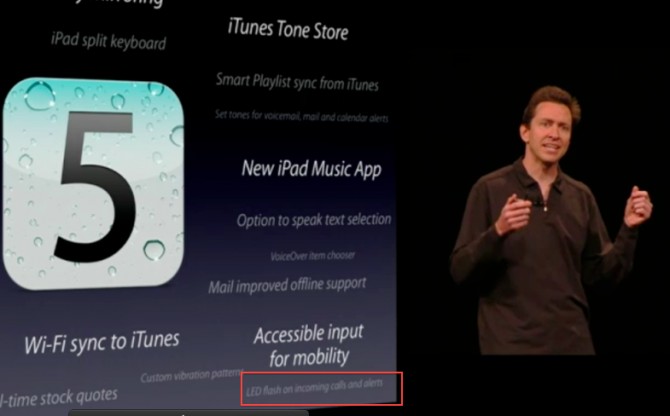
iOS 5 will have hundreds of features. Here is one that wasn’t talked about too much, but it is an often requested feature - the iPhone 4 LED flash will now light up on incoming calls and alerts. Obviously, you can enable or disable this. This is a nice feature that was previously available only to jailbreakers.